It's a familiar frustration for many adult gamers: you finally carve out some precious time to unwind with Roblox, maybe connect with friends or simply relax in a favorite experience, only for the game not to launch. This common issue can derail your plans for relaxation or social interaction, especially when balancing a busy work and family life. From mysterious error codes to applications simply refusing to start, understanding 'why does Roblox not open' is the first step toward getting back into your virtual world. This comprehensive guide is designed for the modern gamer who values their limited free time, offering practical, step-by-step solutions to common Roblox launching problems. We will cover everything from basic checks like internet connectivity and system restarts to more advanced troubleshooting involving software conflicts, cache issues, and system requirements. Our goal is to empower you with the knowledge to swiftly diagnose and resolve these hiccups, ensuring your gaming sessions are smooth, stress-free, and always ready when you are. Get ready to dive back into Roblox without the hassle, maximizing your fun and minimizing downtime.
Why is Roblox Not Launching on My PC
Roblox often fails to launch due to outdated drivers, corrupt game files, internet connection issues, or conflicts with antivirus software. Ensuring your system meets minimum requirements and a stable network are crucial first steps.
How Do I Fix Roblox When It Won't Open
Start by restarting your PC and router. If that doesn't work, try clearing Roblox's cache and temporary files, then update your graphics drivers. A clean reinstallation of Roblox is a reliable next step if these don't resolve the issue.
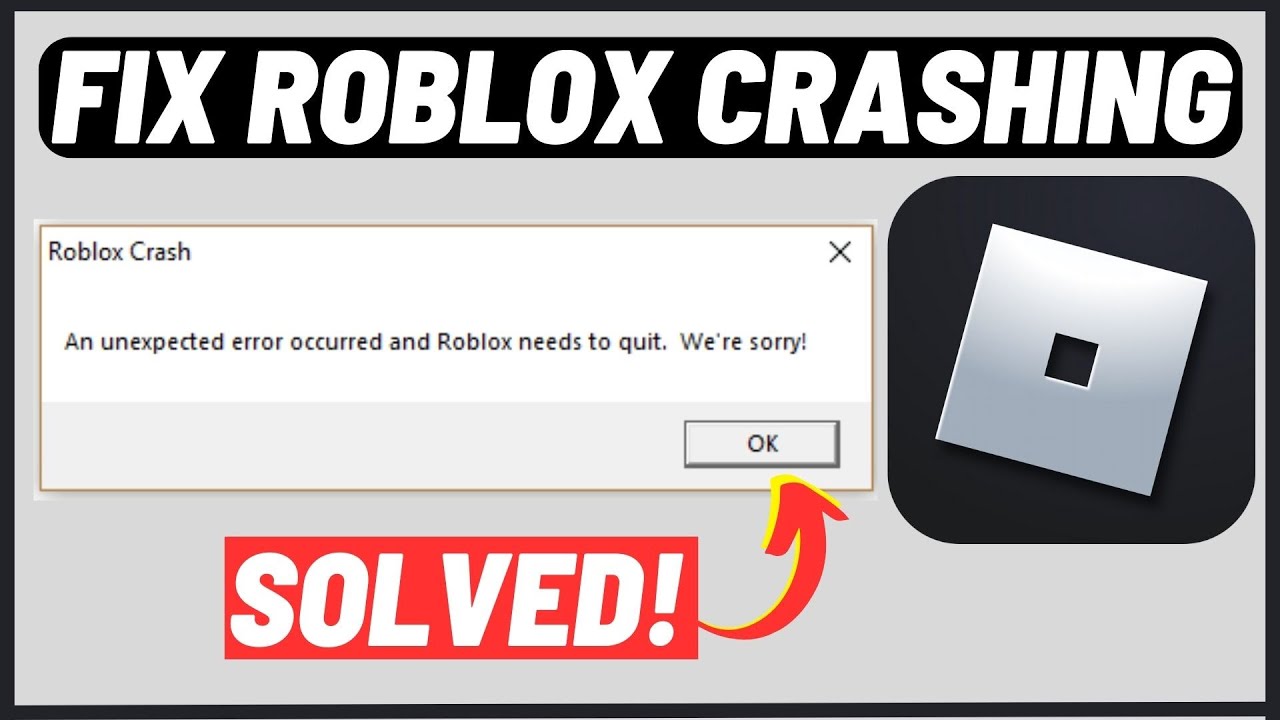
What to Do If Roblox App Closes Immediately After Opening
Immediate crashes usually indicate corrupted files or severe software conflicts. Clear the Roblox cache, ensure your graphics drivers are current, and temporarily disable your antivirus. A complete reinstallation, including deleting residual files, often solves this.
Is My Internet Connection Blocking Roblox From Opening
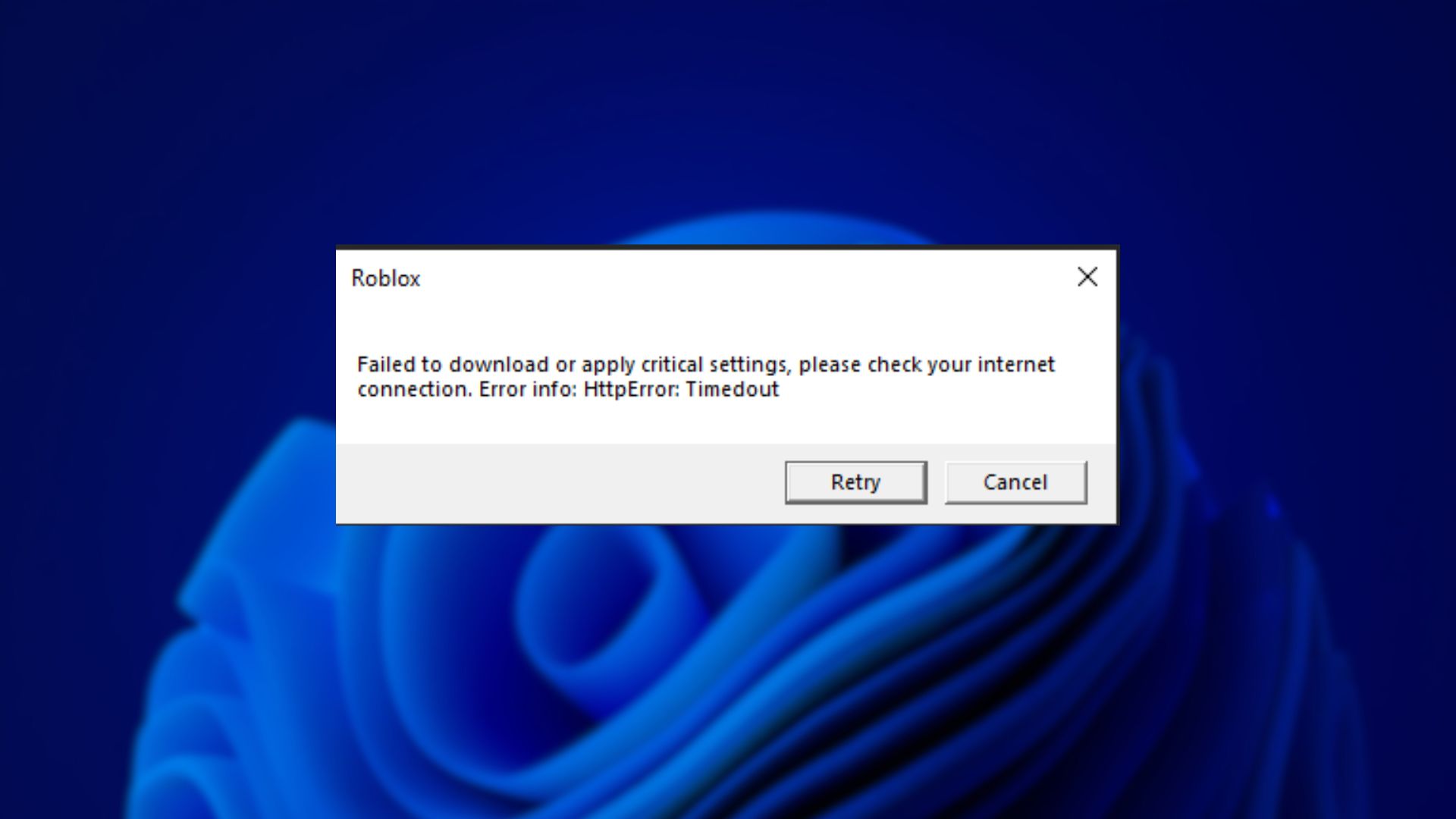
Yes, an unstable or blocked internet connection can prevent Roblox from launching. Verify your internet stability, check Roblox server status, and ensure your firewall or antivirus isn't mistakenly blocking Roblox's network access.
How to Update Graphics Drivers for Roblox to Work
Identify your graphics card (NVIDIA, AMD, Intel) via Device Manager, then download the latest drivers directly from the manufacturer's official website. Perform a clean installation and restart your PC to ensure the updates take effect for Roblox.
When Should I Reinstall Roblox to Fix Launch Problems
Reinstall Roblox as a last resort after trying simpler fixes like clearing cache or updating drivers. A clean reinstallation, which includes uninstalling the app and manually deleting residual files, ensures you get a fresh, uncorrupted client.
Can Antivirus Software Prevent Roblox From Opening
Yes, antivirus programs can sometimes block Roblox. Add Roblox Player and Roblox Studio executables to your antivirus's exception list. If unsure, temporarily disable your antivirus to test if it's the cause, but remember to re-enable it promptly.
We've all been there. You've had a long day, finally settled down with your favorite beverage, and you're ready to jump into Roblox for some well-deserved relaxation, maybe build something cool, or connect with your kids' friends. But then, it happens: Roblox just won't open. The icon flashes, a loading screen might appear, and then poof, nothing. It's a common, irritating hiccup that can instantly cut into that precious gaming time many of us juggle alongside jobs and family responsibilities. For the average US gamer, who spends over 10 hours a week unwinding, socializing, or sharpening skills in virtual worlds, a non-launching game isn't just an inconvenience; it's a barrier to a valuable escape and social outlet. In 2026, with 87% of gamers playing regularly and mobile gaming dominating, cross-play and seamless access are more important than ever. This guide is your trusted friend, here to help you understand exactly 'why does Roblox not open' and walk you through the practical, no-nonsense solutions to get you back into the game.
We understand that you don't have hours to spend debugging. You want clear, actionable steps that respect your time and help you optimize your gaming experience without a huge investment of effort or money. This article aims to provide those solutions, covering everything from simple checks to more in-depth troubleshooting. Let's troubleshoot like pros and reclaim your Roblox experience.
Why Does Roblox Not Open A Guide to Common Launch Problems
When Roblox refuses to launch, it's often due to a handful of common culprits, ranging from simple glitches to more complex software conflicts. Understanding these typical reasons is the first step in diagnosing and fixing the issue. We'll explore the most frequent causes, giving you a solid foundation for troubleshooting.
One primary reason can be related to your internet connection. Roblox, being an online platform, requires a stable and active connection to initialize and load. Another frequent cause is outdated software, either the Roblox client itself or essential system drivers. Sometimes, antivirus programs or firewalls can mistakenly flag Roblox as a threat, preventing it from running. Furthermore, corrupt game files or issues with your PC's temporary data can also impede a successful launch. Even your computer's specifications, if they barely meet or fall below the minimum requirements, can lead to launch failures.
How Do I Check My Internet Connection and Roblox Server Status
A stable internet connection is fundamental for Roblox to launch and function correctly. Before diving into complex solutions, always verify your network. In 2026, with social gaming trends on the rise, a reliable connection is paramount for multiplayer experiences.
- First, open a web browser and try visiting a few websites like Google or YouTube. If they load slowly or not at all, your internet connection might be the issue.
- Try restarting your router and modem. Unplug them both from power, wait 30 seconds, then plug the modem back in. Once its lights stabilize, plug in the router.
- Also, check the official Roblox Server Status page or third-party sites like DownDetector. Sometimes, the problem isn't on your end but with Roblox's servers. If their servers are down or experiencing issues, all you can do is wait for them to resolve it.
What Are the Minimum PC Requirements for Roblox in 2026
Ensuring your system meets Roblox's requirements is crucial, especially as games evolve. While Roblox isn't the most graphically intensive game, an underpowered machine can lead to launch failures or poor performance. Many gamers balancing work and family might use older hardware, so this check is vital.
- Operating System: Windows 7, 8.1, 10, or 11 (64-bit recommended).
- Processor: Processor with a clock speed of 1.6 GHz or better.
- Memory: 1 GB of RAM (2 GB or more recommended).
- Graphics Card: DirectX 9 compatible graphics card.
- Storage: At least 20 GB of free disk space is recommended for smoother operation, though Roblox itself takes up less.
If your PC barely meets these, consider freeing up disk space or closing other demanding applications before launching Roblox to give it the best chance.
Why Is My Antivirus Blocking Roblox and How Can I Fix It
Security software is designed to protect your PC, but sometimes it can be a little overzealous, mistakenly identifying legitimate applications like Roblox as a threat. This is a common pain point for gamers, often leading to launch failures without clear error messages.
Your antivirus or firewall might be preventing Roblox from executing or accessing necessary network resources. To resolve this, you'll need to add Roblox to your security software's exception or whitelist list. The exact steps vary by antivirus program, but generally, you'll open your antivirus software, navigate to settings or protection, and look for an 'Exclusions', 'Whitelist', or 'Allowed Apps' section. Add both the Roblox Player and Roblox Studio executables (usually found in C:Users[Your Username]AppDataLocalRobloxVersions) to this list. If you're unsure, temporarily disabling your antivirus for a few minutes (and re-enabling it after testing) can confirm if it's the culprit.
How to Clear Roblox Cache and Temporary Files
Over time, cached data and temporary files can become corrupted or accumulate, interfering with Roblox's ability to launch or function correctly. Clearing these files is a quick and often effective troubleshooting step that doesn't delete your game progress.
To clear your Roblox cache:
- Close all Roblox instances and applications.
- Press the Windows key + R to open the Run dialog.
- Type '%temp%' and press Enter. This will open your temporary files folder.
- Select all files (Ctrl + A) and press Delete. Skip any files that cannot be deleted.
- Next, go to C:Users[Your Username]AppDataLocal. Delete the 'Roblox' folder. Don't worry, this only removes temporary files and settings, not your account or game progress.
- After deleting, try launching Roblox again.
When Should I Reinstall Roblox and How Do I Do It Correctly
A fresh installation is often the nuclear option for many software issues, and Roblox is no exception. If you've tried the simpler fixes and Roblox still won't open, a complete reinstallation can resolve corrupted game files or installation errors. This method ensures you start with a clean slate.
Here's how to perform a clean reinstallation:
- Uninstall Roblox: Go to Control Panel > Programs > Programs and Features (or Settings > Apps > Apps & features in Windows 10/11). Find 'Roblox Player' and 'Roblox Studio' and uninstall both.
- Delete Residual Files: After uninstalling, make sure to delete any remaining Roblox folders. Navigate to C:Users[Your Username]AppDataLocal and delete the 'Roblox' folder if it still exists. Also check Program Files (x86) and Program Files for any leftover Roblox folders and delete them.
- Restart Your PC: A crucial step to clear any lingering processes.
- Reinstall Roblox: Open your web browser, go to the official Roblox website, log in, and try to join any game. This will prompt you to download and install the latest Roblox Player.
Are My Graphics Drivers Up to Date and Why Does It Matter
Outdated or corrupted graphics drivers are a frequent cause of game launch failures and poor performance, not just for Roblox but for most PC games. Graphics drivers are the software that allows your operating system to communicate effectively with your graphics card. In 2026, with visual fidelity increasing even in platforms like Roblox, keeping these drivers current is more important than ever for optimal performance and compatibility.
To check and update your graphics drivers:
- Identify Your Graphics Card: Right-click on the Start button, select 'Device Manager', then expand 'Display adapters'. Note down your graphics card model (e.g., NVIDIA GeForce RTX 3070, AMD Radeon RX 6700 XT, Intel Iris Xe).
- Download Latest Drivers: Visit the official website for your graphics card manufacturer (NVIDIA, AMD, or Intel). Navigate to their 'Drivers' or 'Support' section and download the latest drivers specifically for your card and operating system.
- Install Drivers: Run the downloaded installer. It's often recommended to perform a 'clean installation' if the option is available, which removes old driver files before installing new ones.
- Restart PC: Always restart your computer after a driver installation to ensure changes take effect.
Why is Roblox Crashing on Launch and What Are the Next Steps
If Roblox crashes immediately upon launch, it often points to deeper system conflicts or more severe file corruption. This can be particularly frustrating for gamers trying to fit in a quick session. Beyond the solutions already discussed, a few other advanced steps can help.
- Check for Windows Updates: Ensure your operating system is fully up to date. Microsoft regularly releases patches that can improve system stability and compatibility with applications.
- Run in Compatibility Mode: Right-click on the Roblox Player icon, go to 'Properties', then 'Compatibility'. Try running the program in compatibility mode for an older version of Windows.
- Disable Background Applications: Other programs running in the background, especially those that overlay the screen or interfere with network connections, can cause crashes. Temporarily close programs like Discord overlays, VPNs, or streaming software.
- System File Checker: Open Command Prompt as an administrator and type 'sfc /scannow' then press Enter. This tool will scan for and repair corrupted Windows system files.
- Check Event Viewer: For advanced users, Windows Event Viewer (type 'eventvwr' in Run dialog) can sometimes provide clues about what caused the crash. Look under 'Windows Logs' -> 'Application' for errors related to Roblox.
Remember, patience and a systematic approach are key to resolving these stubborn issues. With the right steps, you'll be back building and playing in no time.
FAQ Section
What is the 'Error Code 277' in Roblox?
Error Code 277 typically indicates a connection issue with the Roblox servers. This could be due to an unstable internet connection, firewall blocking Roblox, or temporary server problems on Roblox's end. Try checking your internet, temporarily disabling your firewall, or waiting for Roblox to resolve server-side issues.
Can a VPN cause Roblox not to open?
Yes, a Virtual Private Network (VPN) can sometimes interfere with Roblox's connection, causing it not to open or to experience high latency. Try disabling your VPN and launching Roblox to see if that resolves the issue. If it does, you might need to configure your VPN to allow Roblox traffic or use a different server.
Why does Roblox open then immediately close?
This often points to corrupted game files, outdated graphics drivers, or conflicts with other software (like antivirus). Try clearing your Roblox cache, updating your graphics drivers, or performing a clean reinstallation of Roblox to resolve the problem.
Is Roblox free to play in 2026?
Yes, Roblox remains a free-to-play platform in 2026, available on PC, mobile, and consoles. While many experiences are free, there are optional in-game purchases and subscriptions (Roblox Premium) for additional content, items, and Robux currency, aligning with current free-to-play trends.
How can I optimize Roblox performance if it opens but lags?
If Roblox opens but lags, try reducing in-game graphics settings, ensuring your graphics drivers are updated, closing unnecessary background applications, and making sure your PC meets the recommended system requirements. A stable internet connection is also vital for smooth gameplay.
Does having many Roblox games installed affect launch time?
No, having many Roblox experiences (games) bookmarked or previously played does not typically affect the launch time of the Roblox player application itself. The game content is downloaded on demand when you join a specific experience, not all at once. Performance issues are usually related to system resources or network.
Well, there you have it, fellow gamers. We've tackled the common, and sometimes frustrating, problem of 'why does Roblox not open' from multiple angles. From quick internet checks to a full system overhaul, these steps should equip you to diagnose and fix most launch issues, ensuring your precious gaming time isn't wasted on troubleshooting. Remember, balancing life, work, and play is a challenge, and getting your games to work smoothly is key to unwinding effectively. What's your biggest gaming challenge when life gets busy? Comment below and let us know!
Common Roblox launch issues, Internet connectivity checks, PC system requirements, Roblox reinstallation steps, Graphics driver updates, Antivirus exceptions, Cache clearing, Compatibility modes, Network configuration.
35




Fix Roblox Not Launching On PC Laptop 2025 Roblox Not Opening YouTube . Is Roblox Getting Shut Down In 2026 The Real Truth Behind All Those Is Roblox Getting Shut Down In 2026 1024x683 . How To Fix Roblox Not Launching Opening In Roblox 2025 Tutorial YouTube . Why Is Roblox Not Working June 2026 24 Fixes That Actually Work Why Is Roblox Not Working 2025 24 Fixes That Actually Work . Is Roblox Down Right Now Issues Roblox Not


Why Won T Roblox Open Solved Alvaro Trigo S Blog Why Roblox Wont Open 1536x1024 . Roblox Not Working Here S Why And How To Fix It How To Resolve Roblox Not Opening . Can T Open Roblox Studio Platform Usage Support Developer Forum 2 690x393 . Why Is My Roblox Not Opening 8 Proven Methods Roblox Not Working On Pc 1 . Why Is Microsoft Roblox Not Working Solutions For 2026 Roblox


Why I Cant Open Valorant . What Is The Roblox Assessment Experience On Reddit Oar2 . Roblox 2026 Logo REVEALED New Color New Look YouTube Maxres2 . How To Publish A Game On Roblox In 2026 Roblox YouTube . What Is Broack Roblox And Why Is It Trending In 2026


How To Message On Roblox 2026 A Quick Guide SL1500 . Why Is Roblox Not Connecting To The Internet Dibujos Cute Para Imprimir . When Did Roblox Come Out Answering Your Questions . How To Message On Roblox 2026 A Quick Guide . 2026 Parental Guide For Roblox Usage UnicMinds 2026 Parental Guide For Roblox Usage UnicMinds 1020x1024


How To Message On Roblox 2026 A Quick Guide . FIX 2024 Roblox Not Launching EASY Fix Other Videos Don T Work YouTube . Roblox Annual 2026 327999 Roblox Annual Back . Roblox Blocked Lets Get You Back In The Game . Roblox Keeps Crashing Why Does My Roblox Keep Crashing Mobile TikTok

Is Roblox Down Right Now Issues Why Is Roblox Not Working . Roblox Not Working Right How To Fix Common Issues How To Install 2 . Why Can T I Play Roblox . Roblox US Open Codes March 2026 2 New Codes Available Roblox US Open Codes . Why Is Roblox Not Working Common Issues And Solutions Why Is Roblox Not Working 2.webp


Why Is Roblox So Popular Lets Unpack It Why Is Roblox Not Working . How To Fix Roblox Error Failed To Download Or Apply Critical Settings . Why Does My Roblox Keep Closing How To Fix Guide YouTube . Definitive Guide To Roblox 2026 TM 07169 AU 19 60 Football Heaven TM 07169 Definitive Guide To Roblox 2026 . Why Does Roblox Keep Crashing Guide Crop 127 140 127px Download Roblox Step 8 Version 2