Juggling work, family, and a passion for gaming is a balancing act many US gamers know well. Finding that sweet spot where a gaming PC delivers stellar performance without draining your wallet often feels like a quest worthy of a legendary RPG. The core of this challenge? Selecting the perfect budget gaming PC CPU. In 2026, with game graphics becoming ever more demanding and multitasking a necessity for many, your processor is more than just a component; it's the brain of your entire operation, dictating everything from smooth frame rates in the latest AAA titles to seamless streaming on Discord with friends. This comprehensive guide is tailored for the discerning gamer, the one who values every dollar spent, aims for optimal value, and refuses to compromise on fun. We dive deep into the best budget CPUs available today, offering clear, actionable advice to help you build or upgrade a rig that keeps you competitive and entertained, ensuring your precious gaming hours are pure enjoyment, not frustration. Discover how to navigate the technical jargon and make informed decisions that benefit your gameplay and your bank account. This article will help you maximize your budget gaming PC CPU potential.
What budget gaming PC CPU is best for streaming light games?
For gamers on a tight budget who also want to stream lighter titles like Among Us or Stardew Valley, an AMD Ryzen 5 5600G is an excellent choice. Its integrated Radeon graphics reduce the need for a dedicated GPU immediately, while its 6 cores and 12 threads provide sufficient processing power for gaming and basic streaming simultaneously. It offers a fantastic entry point into content creation without breaking the bank and allows for an upgrade to a dedicated GPU later.
How does RAM speed impact a budget gaming PC CPU?
RAM speed significantly impacts the performance of a budget gaming PC CPU, especially for AMD Ryzen processors. Faster RAM, typically 3200MHz or 3600MHz, reduces latency and improves data transfer rates to the CPU, leading to noticeable frame rate increases and overall system responsiveness. Even with a budget CPU, ensuring your RAM runs at its optimal speed by enabling XMP or DOCP in the BIOS is a crucial and often overlooked optimization for better gaming.
Can a budget gaming PC CPU handle VR gaming in 2026?
A budget gaming PC CPU can handle entry-level VR gaming in 2026, but it requires careful pairing with a capable budget GPU. Processors like the Ryzen 5 5600X or Intel i5-12400F provide enough core performance, but the GPU will be the primary determinant for VR frame rates. For comfortable VR experiences in lighter titles, aim for a CPU in the $150-200 range combined with an RTX 3060 or RX 6700 XT. Integrated graphics alone are generally not sufficient for VR.
What's the best budget gaming PC CPU for upgrading an older system?
The best budget gaming PC CPU for upgrading an older system depends on your existing motherboard. If you have an AM4 motherboard, upgrading to an AMD Ryzen 5 5600X or even a 5800X3D (if budget allows) offers a massive performance boost without needing a new motherboard or RAM. For older Intel users, an upgrade often requires a new motherboard and RAM, making a full platform switch to a current-gen i5-12400F or Ryzen 5 7600 a more sensible budget-conscious move.
Are refurbished budget gaming PC CPUs reliable for gaming?
Refurbished budget gaming PC CPUs can be reliable for gaming, provided they come from a reputable seller with a warranty. Many online retailers and component stores offer certified refurbished processors that have undergone testing. While they are cheaper, always check the return policy and warranty. Opting for a CPU from a trusted source minimizes the risk of receiving a faulty unit, making it a viable option for even tighter budgets. Exercise caution with private sellers.
What power supply unit (PSU) is recommended for a budget gaming PC CPU setup?
For a budget gaming PC CPU setup, a reliable power supply unit (PSU) in the 550W to 650W range is generally recommended. This wattage provides ample power for CPUs like the Ryzen 5 5600X or Intel i5-12400F, along with a mid-range budget GPU like an RTX 3060 or RX 6700 XT, while leaving headroom for future upgrades. Always choose a PSU from a reputable brand (e.g., Seasonic, Corsair, EVGA) with at least an 80 Plus Bronze efficiency rating for stability and safety.
How do current game trends impact budget gaming PC CPU choices?
Current game trends significantly influence budget gaming PC CPU choices. With the rise of social, free-to-play, and cozy games, many popular titles are well-optimized to run on more modest hardware, making budget CPUs highly effective. Esports titles also prioritize performance on a wide range of systems. While some AAA titles are becoming more CPU-intensive, a 6-core/12-thread budget CPU remains a sweet spot, ensuring enjoyable experiences without overspending. This trend encourages value-focused builds, allowing gamers to participate in most popular titles.
Hey there, fellow gamers! Ever feel like you are juggling a hundred quests simultaneously – work deadlines, family time, social commitments, and then, finally, that precious hour or two to unwind with your favorite game? You are not alone. Across the US, about 60% of adults game regularly, with many averaging over 10 hours a week, and a significant portion balancing this passion with demanding lives. The average gamer is around 36 years old, not the teenager stereotype, and they crave relaxation, skill-building, and social connection through gaming, but without the financial stress of constant upgrades.
The challenge? Building or upgrading a gaming PC without emptying your savings. Specifically, finding the perfect budget gaming PC CPU that delivers smooth frame rates, handles your Discord calls, and perhaps even lets you dabble in streaming, all while keeping your wallet happy. You want performance, value, and longevity, not just hype. That is exactly what we are here to talk about today. This guide will cut through the noise, offering practical, actionable advice to help you pick the best budget gaming PC CPU for your needs in 2026. Let us optimize your gaming experience without breaking the bank!
Why is a powerful yet affordable budget gaming PC CPU essential for today's gamer?
A capable budget gaming PC CPU is the literal brain of your system, crucial for delivering a smooth and enjoyable gaming experience without overspending. It processes game logic, AI, physics, and dictates how well your system handles multiple tasks simultaneously, such as gaming, streaming, or running Discord and a web browser. For gamers who balance life and play, every minute counts, and a slow CPU can turn relaxation into frustration, leading to stuttering gameplay, longer load times, and overall poor system responsiveness. Investing wisely here means more fun and less hassle, ensuring your gaming sessions are optimized for the limited time you have.
With 87% of US gamers playing regularly, and many opting for PC gaming, the demand for value is higher than ever. A good budget CPU ensures you can participate in popular social games, try out free-to-play titles, and even dip into esports viewing or VR experiments without needing a top-tier enthusiast rig. It is about smart spending to achieve maximum enjoyment, allowing you to focus on building skills and connecting with friends online rather than wrestling with hardware limitations.
What are the best budget gaming PC CPUs available in 2026?
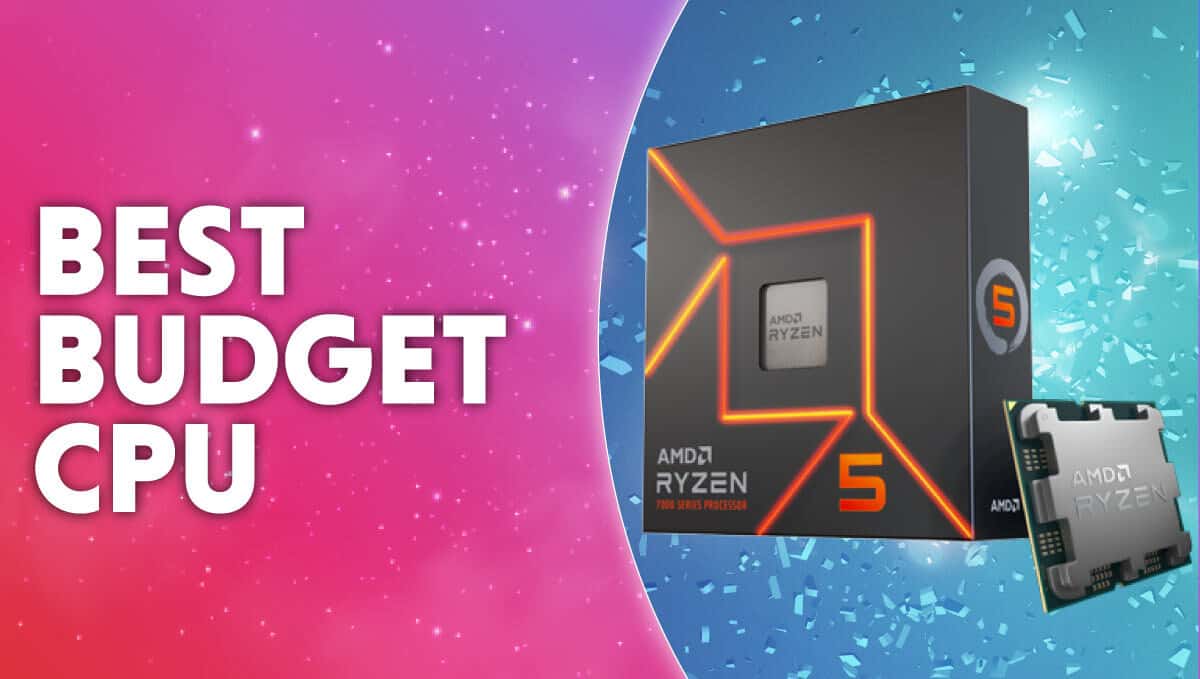
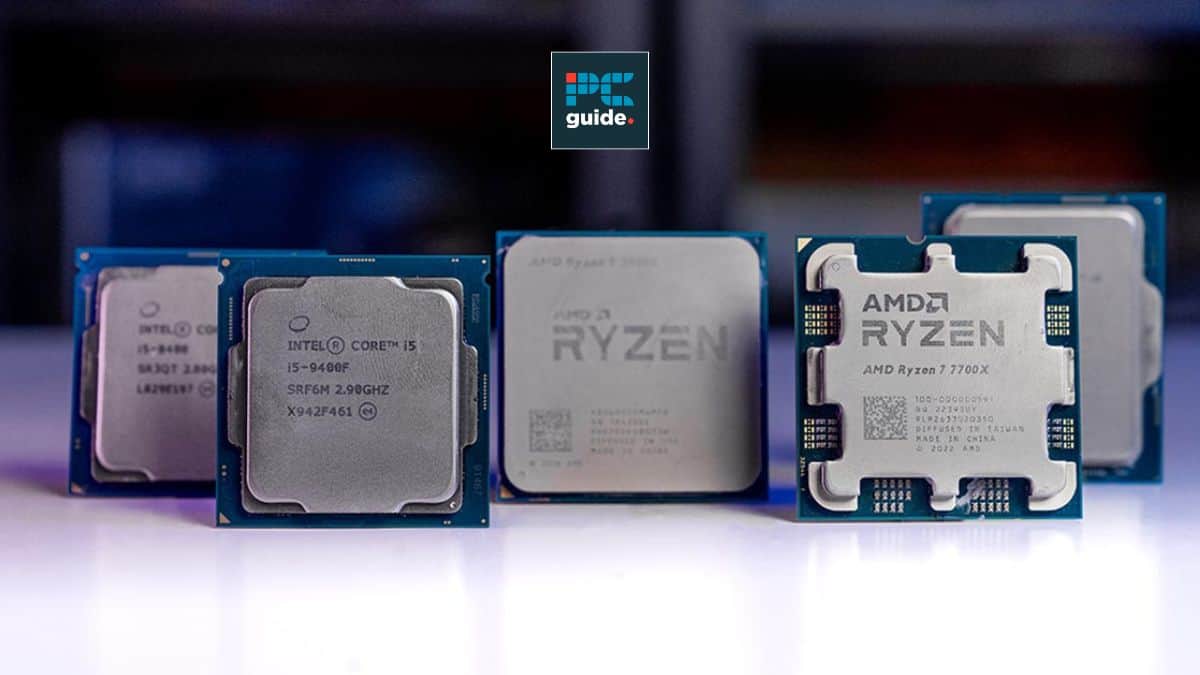
For 2026, the best budget gaming PC CPU options offer an excellent balance of core count, clock speed, and price, often found in previous-generation flagships or current-generation mid-range chips. The AMD Ryzen 5 5600X continues to be a phenomenal value, providing 6 cores and 12 threads with strong single-core performance perfect for most games. For Intel users, the Core i5-12400F stands out with its competitive gaming performance and solid efficiency. If integrated graphics are a must for now, the AMD Ryzen 5 5600G or newer 5700G provides a surprisingly capable gaming experience without a dedicated GPU, perfect for those building a system slowly or playing lighter titles.
When considering these options, look for processors that are frequently on sale. Many retailers offer bundles with motherboards, further enhancing their budget appeal. Always check current pricing as component costs can fluctuate. These CPUs ensure you can jump into most new titles at 1080p with respectable frame rates, especially when paired with a decent budget GPU.
How much should I realistically spend on a budget gaming CPU?
Realistically, a budget gaming PC CPU in 2026 should typically fall into the $100 to $200 price range, sometimes stretching to $250 if you catch a fantastic deal or need integrated graphics. This segment offers the best performance-per-dollar, allowing you to allocate more of your budget to your GPU, which is often the primary driver of in-game frame rates. Spending too little (under $100) might lead to bottlenecks and a frustrating experience, while going much over $250 quickly pushes you into mid-range territory where diminishing returns for pure gaming begin to appear.
Think about your total PC budget. If your overall build is $600-$800, aiming for a CPU around 15-25% of that total is a good guideline. For example, a $150 CPU in an $800 build leaves plenty for a strong GPU like an RTX 3060 or RX 6700 XT, which will yield better gaming results than a $300 CPU paired with a weaker GPU. It is about strategic allocation to achieve the best gaming experience possible on your budget.
Can integrated graphics on a budget CPU really handle modern games?
Yes, integrated graphics on certain budget CPUs can absolutely handle modern games, though with limitations. Processors like AMD's Ryzen G-series (e.g., Ryzen 5 5600G, Ryzen 7 5700G, or newer 7000-series APUs) feature powerful integrated Radeon graphics that are capable of playing many popular titles at 1080p, especially at lower settings. Games like Fortnite, Valorant, League of Legends, Minecraft, and even some older AAA titles can run surprisingly well, often hitting 30-60 FPS.
These APUs are perfect for:
- Entry-level gamers who want to get started without immediately buying a dedicated GPU.
- Budget-conscious builders who plan to add a discrete GPU later.
- Gamers focused on lighter, social, or cozy games that do not demand intense graphical power.
- Those looking for a compact build where a dedicated GPU might not fit.
AMD vs Intel: Which offers better budget gaming CPU value in 2026?
In 2026, both AMD and Intel offer compelling options for a budget gaming PC CPU, but AMD often takes a slight edge in overall value, particularly for systems relying on integrated graphics or looking for a more accessible upgrade path for future generations. AMD's Ryzen 5000 and even some 7000 series processors provide strong multi-core performance and excellent gaming capabilities for their price points. The AM4 platform, which hosts the popular Ryzen 5 5600X and 5600G, has a mature and affordable ecosystem of motherboards and RAM, making total build costs lower.
Intel's 12th and 13th Gen Core i5 F-series CPUs (like the i5-12400F or i5-13400F) are also fantastic contenders, often matching or slightly exceeding AMD in pure gaming performance at similar price points, especially if you find a good deal on a motherboard. However, Intel's newer platforms might have slightly higher motherboard costs. For users prioritizing a discrete GPU, the Intel i5-12400F is an incredible option. For those who want the flexibility of integrated graphics or an easier upgrade path within the same socket, AMD's offerings generally provide better overall value in the budget segment.
How to balance CPU and GPU for optimal budget gaming performance?
Balancing your budget gaming PC CPU and GPU is paramount to achieving optimal performance without creating a bottleneck in your system. A common rule of thumb is to allocate approximately 30-40% of your total budget to the GPU and 15-25% to the CPU, with the remainder going to the motherboard, RAM, storage, PSU, and case. The GPU (graphics card) is typically the most expensive component and has the largest impact on in-game frame rates and visual fidelity.
Here are key tips for balancing:
- Avoid Bottlenecks: Do not pair a powerful CPU with a weak GPU, or vice versa. A top-tier CPU will be underutilized with a low-end GPU, and a powerful GPU will be starved for data by a weak CPU.
- Prioritize GPU: For pure gaming, the GPU often deserves more of your budget. For example, pairing a Ryzen 5 5600X ($150-200) with an RX 6700 XT or RTX 3060 ($250-350) will yield better results than a more expensive CPU with a lesser GPU.
- Consider Resolution & Refresh Rate: For 1080p gaming at 60-144Hz, the recommended budget CPUs (Ryzen 5 5600X/G, Core i5-12400F) are perfectly capable. If you aim for 1440p, a slightly stronger GPU is needed, but the CPU can often remain the same.
- Research Benchmarks: Always look at benchmarks for your desired CPU and GPU combination in the games you plan to play. This is the most accurate way to predict real-world performance.
- Future Upgrades: Choose a motherboard that supports a reasonable upgrade path for both CPU and RAM, extending the life of your budget build.
When is it time to upgrade my budget gaming CPU?
Knowing when to upgrade your budget gaming PC CPU is crucial for maintaining a smooth experience without unnecessary spending. It is time to consider an upgrade when you consistently experience significant performance issues that cannot be resolved by GPU driver updates, game setting adjustments, or other optimizations. Here are common signs:
- Consistent CPU Bottlenecking: Your GPU usage is low (e.g., below 70%) while your CPU usage is consistently at 90-100% during gaming, leading to stuttering or low frame rates. Task Manager is your friend here.
- New Game Demands: You want to play newly released AAA titles, and even at the lowest settings, your CPU struggles to maintain playable frame rates. Many new games are becoming more CPU-intensive, especially for open-world titles.
- Multitasking Performance: You find your system lagging significantly when trying to game and run other applications (like Discord, Chrome with multiple tabs, or streaming software) simultaneously.
- Older CPU Generation: You are still using a CPU that is 4-5 generations old or more. Technology advances quickly, and newer budget CPUs offer substantial improvements in efficiency and instruction sets.
Before upgrading, always ensure your motherboard socket supports the newer CPU and that your power supply can handle the increased power draw. Sometimes, a simple GPU upgrade or adding more RAM might alleviate issues without needing a full CPU replacement.
What are the best games for a budget gaming PC CPU setup?
A budget gaming PC CPU setup is surprisingly capable of running a vast library of games, especially if paired with a decent GPU or even utilizing integrated graphics. Many popular titles are well-optimized or have scalable settings that allow for great performance. Here are some of the best types of games and specific examples:
- Esports Titles: Games like Valorant, Counter-Strike 2, League of Legends, Dota 2, and Rocket League are designed for broad accessibility and run exceptionally well on budget hardware, often hitting high frame rates for competitive play.
- Indie & Cozy Games: Titles like Stardew Valley, Hades, Celeste, Terraria, Among Us, and Palia are not graphically demanding but offer hundreds of hours of engaging gameplay. These are perfect for unwinding after a long day.
- Free-to-Play Games: Many popular free-to-play options like Fortnite, Apex Legends, Call of Duty: Warzone, and Genshin Impact have excellent optimization and graphical settings that can be scaled down to run smoothly on budget systems.
- Older AAA Titles: Do not underestimate the value of games from 2-5 years ago. Titles like The Witcher 3, Grand Theft Auto V, Doom Eternal, and Red Dead Redemption 2 can be found for cheap and often run beautifully on modern budget CPUs and GPUs at medium-to-high settings.
- Social & Co-op Games: Phasmophobia, Lethal Company, and other co-op experiences are more about the social interaction than cutting-edge graphics, making them ideal for budget setups.
Remember, the goal is fun and value. A budget PC opens up a huge world of gaming without requiring you to play every single new release at max settings. This month, many gamers are gravitating towards social games and free-to-play options, both of which shine on budget systems.
Tips for maximizing budget gaming CPU performance?
Even with a budget gaming PC CPU, there are several tricks to squeeze out every bit of performance and ensure a smooth gaming experience. These optimizations can make a noticeable difference without costing you extra money:
Keep Drivers Updated: Always ensure your CPU chipset drivers, GPU drivers, and Windows are up to date. Manufacturers frequently release performance optimizations in their software updates.
Optimize In-Game Settings: This is the biggest impact area. Reduce graphically intensive settings like shadows, reflections, anti-aliasing, and texture quality. Experiment to find the sweet spot between visuals and frame rate. Lowering resolution from 1080p to 900p or even 720p can also provide a significant FPS boost.
Manage Background Processes: Close unnecessary applications running in the background while gaming. This frees up CPU cycles and RAM. Use Task Manager to identify and close resource-intensive programs.
Enable Game Mode (Windows): Windows Game Mode (found in Settings > Gaming > Game Mode) is designed to prioritize your game’s performance by limiting background tasks. Ensure it is enabled.
Overclocking (Cautiously): If your CPU and motherboard support it, and you have adequate cooling, a mild overclock can provide a small performance bump. However, research thoroughly and proceed with caution as it can destabilize your system or reduce component lifespan if done incorrectly.
RAM Speed Matters: For AMD Ryzen CPUs especially, faster RAM (e.g., 3200MHz or 3600MHz) significantly improves performance. Ensure your RAM is running at its advertised speed by enabling XMP/DOCP in your motherboard's BIOS.
Clean Your PC: Dust accumulation can lead to higher temperatures, causing your CPU to thermal throttle and reduce performance. Regularly clean your case fans and CPU cooler.
By applying these tips, you can extend the life and boost the performance of your budget gaming PC CPU, ensuring you get the most out of your hardware investment.
FAQ Section
What is the difference between a CPU with and without 'F' in its name?
An Intel CPU with an 'F' suffix, like the i5-12400F, indicates that it lacks integrated graphics. These processors are typically slightly cheaper than their non-'F' counterparts and require a dedicated graphics card to display video. CPUs without the 'F' have integrated graphics, offering flexibility if your GPU fails or if you are building an entry-level system without a discrete card.
Do I need a high-end cooler for a budget gaming CPU?
No, most budget gaming CPUs, such as the Ryzen 5 5600X or Intel i5-12400F, come with stock coolers that are perfectly adequate for their intended operation and even light overclocking. While an aftermarket cooler can provide better temperatures and quieter operation, it is not strictly necessary unless you plan heavy overclocking or live in a very hot environment. Save that money for your GPU or an SSD!
Are older generation CPUs still viable for budget gaming in 2026?
Absolutely! Many older generation CPUs, especially mid-range or higher-end options from 3-5 years ago, remain highly viable for budget gaming in 2026. Processors like the Intel i7-8700K or Ryzen 7 2700X, when paired with a modern budget GPU, can still deliver excellent 1080p gaming performance in most titles. Their reduced price on the used market makes them fantastic value propositions.
What is a CPU bottleneck and how can I identify it?
A CPU bottleneck occurs when your processor cannot keep up with the data demands from your graphics card, limiting the GPU's potential and causing lower frame rates or stuttering. You can identify it by monitoring your system's resource usage (e.g., with MSI Afterburner overlay or Windows Task Manager). If your CPU usage is consistently near 100% while your GPU usage is significantly lower (e.g., below 70-80%) during gaming, you likely have a CPU bottleneck. This indicates your CPU is struggling to feed instructions to your powerful GPU fast enough.
How important is CPU cache size for gaming?
CPU cache size, particularly L3 cache, is quite important for gaming performance, especially for modern titles that benefit from quick data access. A larger cache can reduce latency by storing more frequently accessed data closer to the CPU cores, minimizing the need to fetch data from slower RAM. While not the sole determinant of performance, CPUs with ample cache (like AMD's 3D V-Cache models or Intel's larger L3 caches) often show a noticeable boost in frame rates, particularly at lower resolutions or when paired with very powerful GPUs. For budget CPUs, sufficient cache is usually present, but it is a factor to consider.
Conclusion
Navigating the world of budget gaming PC CPUs in 2026 does not have to be a daunting quest. As we have seen, achieving a fantastic gaming experience without breaking the bank is entirely within reach for the busy, value-conscious gamer. By understanding the core requirements, making smart choices between AMD and Intel, recognizing the potential of integrated graphics, and balancing your CPU with your GPU, you can build a rig that keeps you competitive and entertained. Remember, the goal is not always the absolute highest frame rates at max settings, but rather consistent, enjoyable performance that lets you unwind, connect with friends, and hone your skills without hardware frustrations.
The current market offers excellent value, particularly with previous-generation powerhouses and well-optimized current-gen mid-range chips. With a strategic approach to component selection and a few performance-boosting tweaks, your budget build can stand tall against many challenges. What is your biggest gaming challenge when it comes to hardware? Share your thoughts and questions in the comments below! Let us build amazing, affordable gaming experiences together.
Optimizing budget CPU and GPU balance for peak performance. Choosing between AMD Ryzen and Intel Core budget processors. Understanding the role of integrated graphics for entry-level gaming. Strategies for future-proofing a budget gaming setup. Maximizing in-game settings with limited CPU power. Finding value without hype in the 2026 CPU market.
35


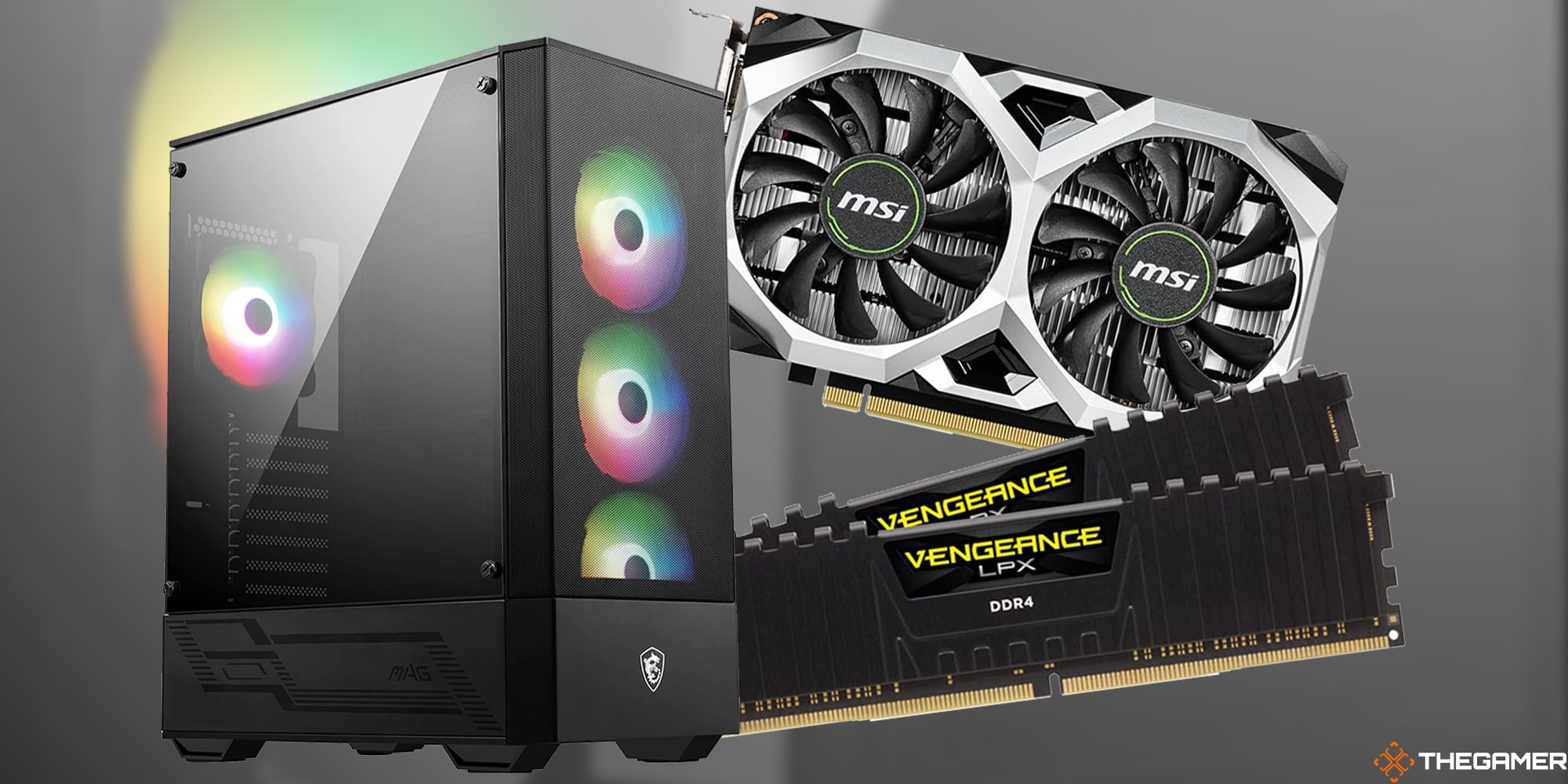
Best Budget Gaming PC Builds For 2026 500 800 Best Budget Gaming PC Builds For 2026.webp. 8 Best Budget Gaming CPU Combos March 2026 Tested Best Budget Gaming CPU Combos . Best Budget AMD CPU For Gaming 8 Ryzen Picks Tested 2026 Best Budget AMD CPU For Gaming 768x419 . Best CPU GPU Combos For Gaming PC Builds In 2026 ALL BUDGETS . Best Cpu Budget Gaming Pc Choosing The Right CPU For Your Gaming Needs Budget Gaming Pc


Best Gaming PC Builds For 2026 Best Gaming PC Builds For 2026.webp. Best Gaming Streaming PC In 2026 High FPS Gaming PC Guru Best Gaming Pc For Under 500 Dollars Featured 800x500 . 3 Best Value Budget Gaming PCs In 2025 Get Maximum FPS Per Dollar PC Best Value Budget Gaming PCs . Best Processors For Gaming In 2026 For Every Budget Technoid Gaming PC Building A Mid Range Gaming PC In 2026 Specs And Tips.webp. The 9 Best Budget CPUs For Gaming In 2026 Reviewed Ranked Slide11 1024x576


Best Cheap Gaming Computer In 2026 Budget Gaming PC Guru Best Cheap Gaming Computer Featured . Best Budget Gaming Setup In 2026 Full Guide For Beginners Budget Friendly Gaming Setup In 2026 768x512 . Best GPU CPU Combo For Every Budget In 2026 Best GPU CPU Combo For Every Budget In 2026 . How To Build Gaming PC Guide 2026 Step By Step Budget Gaming PC 2026 Gaming Pc . Best Budget Gaming PC Build 2026 PC Guide Best RTX 5090 Prebuilt Gaming Pc


Best Budget Gaming CPU Intel 2026 Expert Reviews For 2026 Best Budget Gaming CPU Intel . Best Budget Gaming CPU Combos 2026 10 Perfect Pairings Featured Image Ijuykvt7 . Best PC Gaming CPU 2026 12 Processors Tested PC Gaming CPU 768x419 . Best Budget CPU In 2026 Our Top Pick Cheap Processors WePC Best Budget Cpu . Best CPU For CS2 In 2026 Our Top Picks Tested For Counter Strike 2 Samsung TV Remote Codes Featured Image 29

Best Affordable Gaming CPU 2026 Expert Reviews Of 8 Budget Processors Featured Image T5bt49ae . 8 Best Budget Intel Gaming CPUs March 2026 Tested Ranked Featured Image Jearcz7h 300x210 . Best Budget Gaming PC Top Picks For 2026 9meters Qagzdcgb7go 1536x1024 . 12 Best Budget Gaming AMD CPU June 2026 Tested Featured Image 0itxytoo 300x210 . The 9 Best Budget CPUs For Gaming In 2026 Reviewed Ranked Best CPU For 4K Video Editing PC Build 1024x576



Best Cheap Gaming CPU 2026 10 Budget Processors For Gaming Featured Image Bxfdelj4 . The 15 Best Gaming PC In 2026 Tested Reviewed Com Best Budget CPU Air Coolers For Silent Operations PC Builds . Best PC Cases 2026 Our Tested Picks For Your Next Build Tom S Hardware . Best Budget Gaming CPU Intel 2026 8 Models Tested Ranked Best Budget Gaming CPU Intel 1024x576 . Gaming PC Budget Guide 2026 Spend Smart Build Better Pc Builds For Every Budget

Why Desktop PC Prices Are Rising In 2026 And How To Still Get A Good Deal New Year Desktop PC Deals 2026 Main . 8 Best Budget AMD CPU For Gaming June 2026 Tested Ranked Featured Image E6t57npe 300x210 . 20 000 Budget Gaming PC Build Guide Philippines 2026 PC PARTS MANILA Budget Build Scaled . Top 10 Best Processor For Gaming PC For 2026 Expert Picks Techzaru Product B0G1ZDN8NC . 8 Best APUs For Budget Gaming March 2026 Tested Featured Image Enkkfgb2 300x210