Gamers today face a unique challenge: how to enjoy high-performance PC gaming without being tied down to a single location. The traditional image of a bulky gaming desktop contrasts sharply with a lifestyle that often demands flexibility, whether it's moving between home offices, visiting friends for LAN parties, or simply reconfiguring a living space. This comprehensive guide dives deep into the evolving landscape of portable gaming desktops, exploring the innovative solutions and practical considerations that make high-fidelity gaming on the go not just a dream, but a growing reality for modern players. We'll cover everything from compact PC builds and external GPU enclosures to streaming services and micro-ATX cases, offering insights into performance, cost-effectiveness, and real-world applicability for busy gamers juggling work, family, and their passion for virtual worlds. Discover how you can truly take your powerful gaming rig wherever life leads you, without compromising on frame rates or visual quality.
Related gamesQ: Can I really take my high-end gaming desktop to a friend's house easily?
A: Yes, absolutely! Modern engineering has made it much more feasible to transport powerful gaming desktops. While it won't be as light as a laptop, advancements in small form factor (SFF) cases and compact components mean you can build or buy a powerful rig that fits into a specialized backpack or a smaller carry case. Many gamers do this for LAN parties or to game at different locations. It requires careful planning for peripherals, but the core PC itself is increasingly portable.
Q: What's the main difference between a portable gaming desktop and a gaming laptop?
A: The core difference lies in upgradeability, raw power potential, and cooling. Gaming laptops offer all-in-one convenience, but typically sacrifice long-term upgrade options and often face thermal throttling under sustained loads due to their compact design. Portable gaming desktops, even in SFF builds, still use standard desktop components, allowing for easier upgrades (GPU, CPU, RAM) and generally superior cooling, leading to higher sustained performance and a better price-to-performance ratio over time. They do, however, require external peripherals like a monitor, keyboard, and mouse.
Q: Are there specific PC cases designed for portability?
A: Definitely! Small Form Factor (SFF) cases are purpose-built for portability. These come in various sizes, from shoebox-sized Mini-ITX cases like the Fractal Design Node 202 or Dan A4-SFX, to slightly larger SFF cases like the Cooler Master NR200P. These cases minimize volume while still accommodating powerful GPUs and CPUs, often requiring careful component selection (e.g., ITX motherboards, SFX power supplies, compact GPUs) to ensure compatibility and efficient cooling in a tight space.
Q: How much performance do I lose by going "portable" with a desktop?
A: In most well-designed portable gaming desktops, you lose very little to no performance compared to a full-sized desktop using equivalent components. The performance difference primarily comes down to component choice. If you opt for smaller, lower-power versions of GPUs or CPUs to fit a tiny case, then yes, there might be a performance trade-off. However, many SFF cases can accommodate full-sized GPUs and powerful CPUs, meaning you get uncompromised desktop-level performance in a smaller package. Cooling is key to maintaining that performance, so good SFF cooling solutions are essential.
Q: Can external GPUs (eGPUs) make my regular laptop a portable gaming desktop?
A: An eGPU enclosure can significantly boost your laptop's graphical power, effectively turning it into a capable gaming machine for demanding titles. This solution leverages your laptop's CPU and RAM while providing a desktop-class graphics card. It's excellent for hybrid users who need a lightweight laptop for work and powerful gaming at home. However, eGPUs rely on Thunderbolt 3 or 4 connections, which can introduce a slight performance bottleneck compared to a GPU directly installed in a desktop motherboard. It's a fantastic portable *solution*, but not a portable *desktop* in the traditional sense.
Q: What should I look for in a monitor if I'm building a portable gaming desktop?
A: For ultimate portability, consider a high-refresh-rate portable monitor. Brands like Asus, MSI, and ViewSonic offer 15-inch to 17-inch portable displays with 120Hz or even 144Hz refresh rates, powered via USB-C. If you're okay with less frequent travel, any standard gaming monitor will work. Prioritize panel type (IPS for colors, TN for speed), resolution (1080p, 1440p), and refresh rate based on your gaming preferences and budget. Don't forget a sturdy, compact stand or a monitor with a built-in kickstand for on-the-go setups.
Q: How do I protect my portable gaming desktop during transport?
A: Proper protection is crucial. For SFF builds, invest in a dedicated padded carrying case or backpack designed for small PCs (e.g., SFF specific bags or camera equipment bags). Ensure internal components like large GPUs are secured to prevent sagging or dislodging during transit; some users even remove the GPU for long trips. Always disconnect all cables, pack peripherals separately, and use anti-static bags or bubble wrap for added cushioning. For more traditional cases, car seatbelts and soft blankets can provide adequate securing for short car trips.
As gamers, we love our powerful rigs. That crystal-clear 4K resolution, buttery-smooth frame rates, and the satisfaction of custom-building a machine that dominates the latest titles – it's unmatched. But let's be real: life happens. For many US gamers, averaging around 36 years old and often balancing careers, families, and other commitments, the idea of being tethered to a single desk isn't always practical. You want to game with friends at a LAN party, or maybe you're moving apartments, or perhaps you just want to shift your setup between your home office and the living room without a hernia. The big question then becomes: can gaming desktops truly be portable? For years, "portable" meant "laptop," but the gap between desktop power and mobile flexibility is shrinking thanks to incredible advancements in hardware and thinking. We're no longer just dreaming; we're building and experiencing genuinely portable high-performance gaming desktops. This guide will help you navigate the exciting world where your powerful PC can move with you, ensuring you never miss a beat, or a headshot, wherever you are.
Gone are the days when a gaming PC had to be a hulking tower. With 87% of US gamers regularly engaging with their passion, often logging 10+ hours a week, the demand for versatile setups is higher than ever. From the rise of social gaming trends where playing together, even remotely, is key, to the need for budget-friendly upgrades that maximize value, gamers are seeking solutions that fit their dynamic lives. This article will show you how to achieve that elusive balance: desktop-level performance with a portability factor that actually makes sense for your busy schedule, addressing common pain points like complex setups and hardware limitations along the way. Get ready to discover how you can take your ultimate gaming experience on the go, without compromise.
What Exactly Defines a "Portable" Gaming Desktop?
When we talk about a "portable gaming desktop," it's crucial to set expectations. We're not necessarily talking about something you can slip into a backpack like a lightweight laptop. Instead, it refers to a full-fledged desktop PC that is significantly easier to move and set up in different locations compared to a traditional, bulky tower. This can range from compact Small Form Factor (SFF) builds that fit into a carry-on case, to modular systems that break down for easier transport, or even setups that leverage cloud technology to stream games without needing local hardware at all. The key is flexibility and a reduced footprint, allowing you to enjoy your high-performance gaming rig in multiple environments, whether it's for an impromptu Discord session with friends or a planned esports viewing party.
The emphasis is on mobility without sacrificing the raw power and upgradeability that makes desktop gaming so appealing. Unlike gaming laptops, which are inherently portable but come with performance and upgrade limitations, a portable gaming desktop aims to deliver the full desktop experience with added convenience for relocation. This means thinking about not just the PC tower itself, but also how peripherals, monitors, and even power solutions contribute to the overall ease of moving your setup. It's about empowering the 60% of gamers who need to balance their passion with a demanding lifestyle.
Why Are Gamers Seeking Portable Desktop Solutions Today?
The modern gamer's lifestyle is increasingly dynamic. With many Gen Z and Millennial gamers balancing demanding jobs, family life, and social commitments, the traditional stationary gaming setup can feel restrictive. The desire to bring your A-game to a friend's house for a co-op session, move your setup from a home office to a living room for a more relaxed evening, or even pack your rig for a temporary stay elsewhere is a major driver. Social gaming, cross-play opportunities with console and mobile users, and the popularity of games like Palworld or Helldivers 2 that thrive on communal play, all push towards more flexible setups.
Furthermore, while gaming laptops have improved, they still command a premium for comparable performance to desktops, and their upgrade paths are often limited. Gamers value long-term value for money and the ability to upgrade components like GPUs on a budget, which a desktop intrinsically offers. The need for high refresh rates and powerful graphics for competitive titles or immersive VR experiences means many still prefer desktop-level performance, but they no longer want to be confined. Portable desktop solutions offer a compelling middle ground, giving gamers the freedom to game where and how they want, without compromise.
What Are the Key Components for a Truly Portable Gaming Desktop Build?
Building a truly portable gaming desktop starts with strategic component selection. The most crucial factor is the **case**: Small Form Factor (SFF) cases are paramount. These are designed to minimize volume while still accommodating powerful hardware. Next, the **motherboard** must be compatible; Mini-ITX boards are the smallest standard form factor, perfectly fitting SFF cases. You'll also need an **SFX or SFX-L power supply**, which are compact versions of standard ATX PSUs.
For the **CPU and GPU**, you generally won't need to compromise on performance. Many SFF cases can fit full-sized graphics cards (though some might require specific slim models or dual-slot designs) and high-end processors. However, cooling becomes a tighter challenge, so opting for efficient CPU coolers (low-profile air coolers or compact AIO liquid coolers) is vital. **RAM and storage** (NVMe SSDs) remain standard, as their form factors are already compact. Thinking about compact peripherals and a portable monitor also contributes to the overall portable experience, ensuring you're ready to game anywhere with minimal hassle.
How Do Small Form Factor (SFF) PCs Make Desktops Portable?
Small Form Factor (SFF) PCs are the poster children for portable gaming desktops. Their design philosophy revolves around packing maximum performance into the smallest possible footprint. Instead of towering over your desk, an SFF PC might be the size of a shoebox or even smaller, like a console. This is achieved through clever internal layouts, often requiring specific components like Mini-ITX motherboards, SFX power supplies, and sometimes even custom-designed short-PCB GPUs or riser cables to reorient the graphics card. Cases like the Cooler Master NR200P, Fractal Design Node 202, or the more boutique Dan A4-SFX, are prime examples that have revolutionized how we view desktop size.
The benefits are clear: reduced weight, minimal desk space, and ease of transport. This means you can easily carry your high-performance machine in a specialized bag for LAN parties or simply relocate it around your home without strenuous effort. While SFF builds can sometimes present cooling challenges due to confined spaces, modern designs and efficient components, coupled with careful airflow planning, ensure that performance remains uncompromised. For gamers who prioritize both power and mobility, SFF is often the go-to solution, offering desktop-tier gaming in a truly manageable package.
Can External GPUs (eGPUs) Turn My Laptop into a Portable Desktop?
External GPU (eGPU) enclosures offer a compelling way to bridge the gap between laptop portability and desktop gaming power. If you already own a laptop with a Thunderbolt 3 or 4 port, an eGPU allows you to connect a full-sized desktop graphics card externally. This setup leverages your laptop's CPU, RAM, and storage while offloading the demanding graphics processing to the powerful external GPU. It's a fantastic solution for those who need a lightweight, portable machine for work or school, but want desktop-level performance for gaming when they're at home or a friend's place.
While eGPUs introduce a slight performance bottleneck due to the Thunderbolt interface, the gain in graphical horsepower over an integrated or mid-range laptop GPU is substantial. This means you can play the latest AAA titles at higher settings and frame rates, essentially transforming your everyday laptop into a potent gaming station when plugged in. It’s a modular approach to portability: keep your laptop mobile for daily tasks, then dock it for an enhanced gaming experience. This flexibility makes eGPUs an attractive option for balancing productivity and play without investing in two separate high-end machines, addressing a key pain point for many busy gamers.
What About Cloud Gaming: Is It the Ultimate Portable Desktop?
Cloud gaming services like NVIDIA GeForce NOW, Xbox Cloud Gaming, and Amazon Luna represent the ultimate in hardware-agnostic portability. With cloud gaming, your actual gaming desktop exists in a data center far away, streaming the video output directly to your device over the internet. This means you don't need powerful local hardware at all – almost any device capable of running a web browser or a simple app (laptops, phones, tablets, smart TVs) can become a high-end gaming machine. For the average US gamer, who often juggles work and life, and perhaps plays mobile games frequently, this is a game-changer for casual access.
The portability is unrivaled: as long as you have a stable, fast internet connection, you can access your game library from anywhere in the world. This eliminates the need for transporting a physical PC, worrying about hardware upgrades, or dealing with setup complexities. While internet latency and bandwidth are critical factors for a smooth experience, cloud gaming is continually improving, making it an increasingly viable option for those who prioritize location independence and hassle-free gaming. It's particularly appealing for budget-conscious gamers or those who simply want to try new titles without a significant hardware investment, aligning with the trend of subscription-based entertainment.
How Can I Safely Transport My Gaming Desktop?
Safely transporting your gaming desktop, especially an SFF build, requires careful planning to prevent damage. First, **disconnect all cables** – power, display, peripherals – and coil them neatly. If your PC has a particularly large or heavy graphics card, consider **removing the GPU** for long journeys, as its weight can stress the PCIe slot during bumps and vibrations. Store it in an anti-static bag and pack it separately.
Invest in a **dedicated padded carrying case or backpack**. There are specialized bags designed for SFF PCs that offer excellent protection and compartments for peripherals. If using a standard backpack or duffel, ensure ample padding with clothes, towels, or bubble wrap, making sure the PC is snug and won't shift. When traveling by car, secure the PC using a seatbelt or place it firmly between other items to prevent movement. For air travel, check airline policies for carry-on electronics, as some SFF cases can fit, while others might need to be checked in a hard-shell case. Always handle your portable rig with care, treating it as the valuable, high-performance investment it is.
What Are the Performance Trade-offs for Portable Gaming Desktops?
When considering portable gaming desktops, many wonder if there are significant performance trade-offs. The good news is, for well-designed SFF builds, the performance difference compared to a full-sized desktop with identical components is often negligible. Modern components are remarkably power-efficient, and SFF cases are engineered with increasingly sophisticated airflow solutions. However, there are a few nuanced points to consider:
- **Cooling Constraints:** Smaller cases inherently have less space for massive air coolers or elaborate custom liquid loops. This might mean opting for slightly less aggressive CPU overclocking or selecting specific, efficient coolers. If cooling is insufficient, components might thermal throttle, leading to a slight performance dip during extended intense gaming sessions.
- **Component Selection:** While most SFF cases can fit full-sized GPUs, some of the very smallest (e.g., truly console-sized) might require specific compact graphics card models that could have slightly lower clock speeds or fewer fans. Similarly, some SFF builds might necessitate SFX power supplies which, while powerful, can sometimes be pricier than their ATX counterparts.
- **Noise Levels:** Due to tighter spaces and smaller fans often running at higher RPMs to maintain temperatures, some portable gaming desktops can be slightly louder than their larger counterparts, though this is often mitigated by quality fans and clever acoustic design.
Ultimately, these are often minor compromises that are easily outweighed by the convenience of portability. With careful component selection and thoughtful cooling, a portable gaming desktop can deliver virtually identical performance to a larger rig, ensuring you're competitive in esports titles or fully immersed in the latest single-player blockbusters.
How to Balance Budget and Portability for Your Next Gaming Rig?
Balancing budget and portability is a common challenge for gamers looking to build or buy a new rig, especially for those balancing gaming with life and seeking value for money. Here's how to navigate it:
- **Prioritize Core Components:** Decide where your budget makes the most impact. The CPU and GPU are paramount for gaming performance. Often, a mid-range CPU paired with a higher-end GPU offers better gaming value than the reverse.
- **Smart Case Selection:** SFF cases vary widely in price. While premium boutique cases can be expensive, excellent options like the Cooler Master NR200P offer great value and build quality. Micro-ATX cases also provide a good balance of compactness and affordability if Mini-ITX is too restrictive.
- **Power Supply Efficiency:** SFX power supplies, necessary for many SFF builds, can sometimes be more expensive per watt than ATX units. Factor this into your budget. Look for sales on reputable brands.
- **Consider Used Parts (Carefully):** For components like previous-gen CPUs or even GPUs, the used market can offer significant savings. Always buy from trusted sources and verify functionality. This is particularly useful for hardware upgrades on a budget.
- **Peripherals & Monitor:** Don't forget the cost of a portable monitor, keyboard, and mouse. Portable monitors can add to the expense, but a good quality one is essential for a true mobile setup. Sometimes, using an existing TV or monitor at your destination can save costs.
- **DIY vs. Pre-built:** Building yourself almost always saves money compared to a pre-built system, and also offers the satisfaction of customization. However, pre-builts can be convenient if you're short on time or less confident with assembly. Many system integrators now offer SFF pre-builts.
By making informed choices and being strategic with component selection, you can build a powerful, portable gaming desktop that doesn't break the bank, allowing you to enjoy your games without financial stress.
What Are the Best Accessories for a Portable Gaming Desktop Setup?
To truly embrace the portable gaming desktop lifestyle, the right accessories are essential. These items enhance ease of transport, setup, and overall user experience:
- **Dedicated Carrying Case:** As mentioned, a padded bag specifically designed for SFF PCs (or a sturdy camera bag) is crucial for safely transporting the tower itself. Look for options with internal dividers and exterior pockets for peripherals.
- **Portable Monitor:** A high-refresh-rate portable monitor (e.g., 15-inch to 17-inch, 120Hz+) powered by USB-C is a game-changer. Brands like ASUS ROG, MSI, and ViewSonic offer excellent options that fit into a laptop bag.
- **Compact Keyboard and Mouse:** Opt for a TKL (Tenkeyless) or 60% mechanical keyboard and a lightweight, wireless gaming mouse. These take up less space and reduce cable clutter.
- **Portable Power Strip:** A compact power strip with surge protection is invaluable, ensuring you have enough outlets for your PC, monitor, and other accessories at any location.
- **Short, Braided Cables:** Minimize clutter and potential tangles with shorter (e.g., 3-foot) braided HDMI/DisplayPort and USB cables. Braided cables are more durable for frequent packing and unpacking.
- **USB Hub:** A small, powered USB hub can expand your port options, especially if your SFF case has limited front-panel connectivity.
- **External SSD (for games):** If you want to quickly add more games without opening your PC, a fast external NVMe SSD is a convenient option.
- **Headset with Travel Case:** A comfortable, high-quality gaming headset that comes with its own travel case will protect it and keep you immersed wherever you play.
These accessories collectively transform your portable desktop from a mere concept into a seamless, high-performance gaming experience on the go.
How Do You Maintain a Portable Gaming Desktop for Longevity?
Maintaining a portable gaming desktop for longevity is similar to a standard desktop, but with a few extra considerations due to its compact nature and frequent movement:
- **Dust Management:** Smaller cases can sometimes be more prone to dust buildup if not designed with good filtration. Regularly clean dust filters and use compressed air to clear out dust from fans and heatsinks. Dust can quickly impede cooling efficiency.
- **Thermal Monitoring:** Given the tighter internal spaces, consistently monitor your CPU and GPU temperatures using software like HWMonitor or MSI Afterburner, especially during intense gaming sessions. This helps ensure components are running within safe limits and identifies any potential cooling issues early.
- **Cable Management:** Even within a portable setup, good cable management is essential for airflow and preventing damage during transport. Ensure all cables are neatly tied and not obstructing fans or sensitive components.
- **Secure Components for Travel:** As mentioned previously, for longer or rougher trips, consider securing or temporarily removing the GPU to prevent damage to the PCIe slot. Ensure all internal connections are secure before and after transport.
- **Software Maintenance:** Keep your operating system, drivers (especially GPU drivers), and game launchers updated. Regular software maintenance ensures optimal performance, security, and compatibility with the latest titles.
- **Peripherals Care:** Your portable monitor, keyboard, and mouse will also see more handling. Use protective sleeves for the monitor and ensure peripherals are packed securely to prevent scratches or breakage.
By being diligent with these maintenance tips, your portable gaming desktop will provide reliable, high-performance gaming experiences for years to come, no matter where you set it up.
The dream of taking your powerful gaming desktop wherever you go is no longer just a fantasy; it's a tangible reality for today's dynamic gamers. From the ingenious engineering of Small Form Factor PCs and the modular flexibility of external GPUs to the boundless reach of cloud gaming, there are more options than ever to keep you connected to your favorite titles without being chained to a single desk. It's all about finding the right balance between raw power, convenient size, and your personal budget. By understanding the nuances of each approach, you can craft a gaming setup that truly fits your life, enabling you to unwind, connect with friends, and conquer virtual worlds on your own terms.
Remember, the goal is to optimize your gaming experience to fit *your* lifestyle, not the other way around. Whether you're chasing the latest esports glory, diving into cozy co-op adventures, or exploring vast open worlds, your desktop doesn't have to stay home. What's your biggest gaming challenge when it comes to portability or balancing gaming with life? Comment below and share your tips and struggles!
FAQ: Your Quick Portable Gaming Desktop Questions Answered
Is it expensive to build a portable gaming desktop?
While some specialized SFF components can carry a premium, it's possible to build a portable gaming desktop on a budget. Mini-ITX motherboards and compact cases have options across various price points. Focusing on essential performance components and reusing peripherals can help keep costs down.
Can I use a regular monitor with a portable desktop?
Absolutely. Most portable gaming desktops use standard display outputs like HDMI or DisplayPort, so you can connect them to any monitor, TV, or projector available at your destination. Portable monitors are also a great option for ultimate flexibility.
Do portable gaming desktops overheat easily?
Smaller cases mean less airflow, so cooling is a critical consideration. However, SFF cases are designed with clever airflow paths, and modern components are more power-efficient. Using AIO liquid coolers or high-performance low-profile air coolers is common to manage thermals effectively.
Are portable gaming desktops good for competitive gaming?
Yes, absolutely. Many competitive gamers choose SFF builds for LAN events because they offer the same high-end performance as larger desktops but are much easier to transport. With the right components, latency and frame rates are on par with traditional setups.
What's the best way to travel with a portable gaming desktop on a plane?
For air travel, it's generally best to carry your SFF PC as a carry-on, if its dimensions meet airline requirements. If checking, use a hard-shell case with custom foam inserts. Always secure or remove the GPU to prevent damage during baggage handling.
How does a portable gaming desktop compare to a gaming laptop for upgrades?
Portable gaming desktops, even SFF ones, offer significantly better upgradeability than gaming laptops. You can typically swap out the GPU, CPU, RAM, and storage with standard desktop components, extending the life and performance of your rig far beyond what a laptop allows.
Modern gaming desktops can be surprisingly portable with the right components and approach. Compact form factors like Mini-ITX and SFF builds make moving high-performance PCs feasible. External GPU enclosures enable laptop users to gain desktop-class power. Cloud gaming services offer true location independence without hardware ownership. Balancing portability with raw power often involves trade-offs in size, cost, and cooling. Proper planning for transport accessories and setup ease is crucial for a smooth portable gaming experience.
35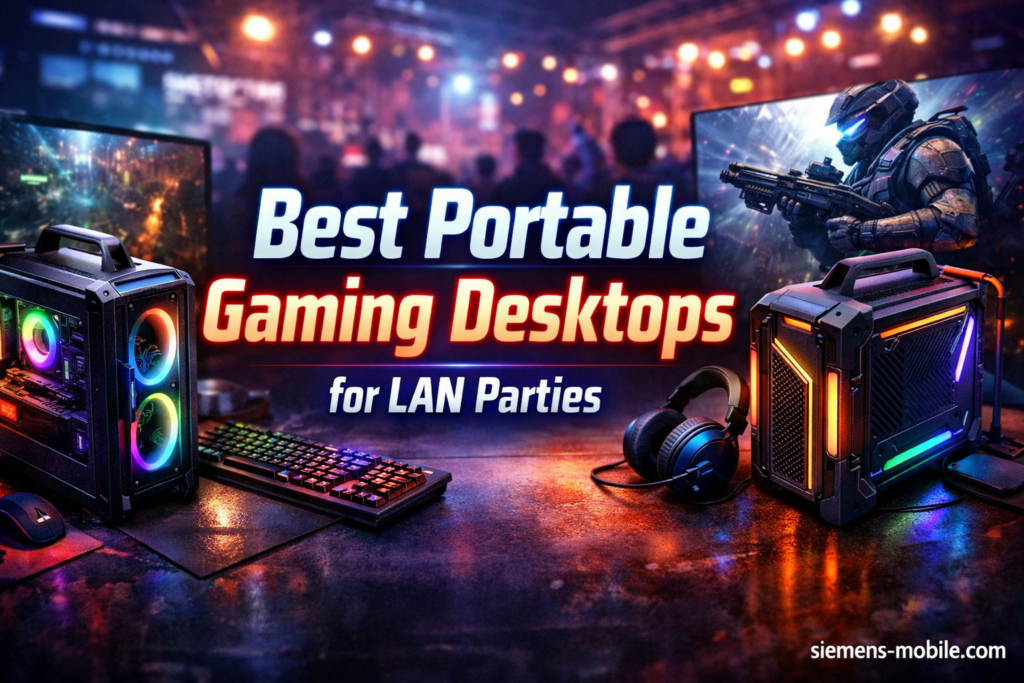
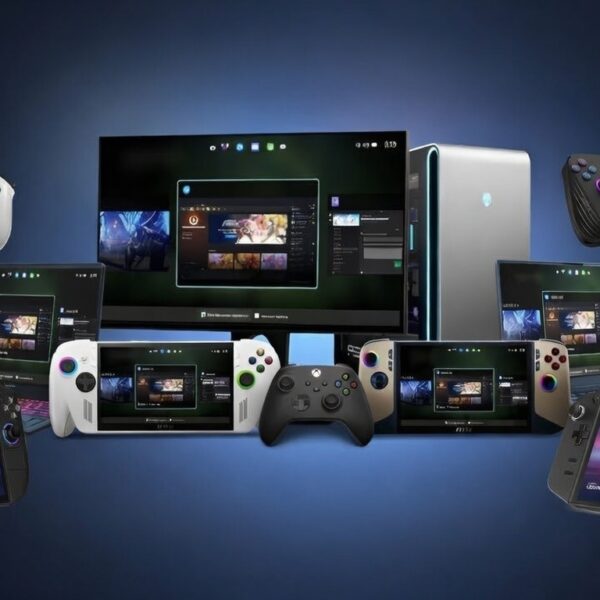



8 Best Portable Gaming Desktops For LAN Parties April 2026 Complete Guide Best Portable Gaming Desktops For LAN Parties 1024x683 . The 2026 Ultimate Guide To Portable Handheld Gaming PCs Windows Handheld Gaming Pc 600x600 . Best Dell Gaming Desktop 2026 Alienware Gaming PC Guru Best Dell Gaming Desktop Featured . 8 Best Gaming PCs For 2026 Ultimate Buyer S Guide Best Gaming Pc 2026 The Neuralcore X.webp. 10 Best Compact Gaming Desktops For Small Spaces April 2026 Expert Best Compact Gaming Desktops For Small Spaces
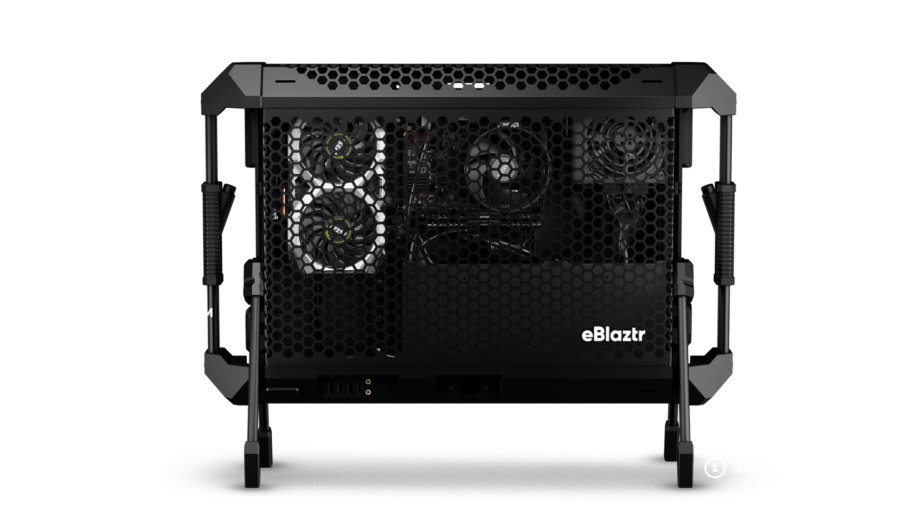

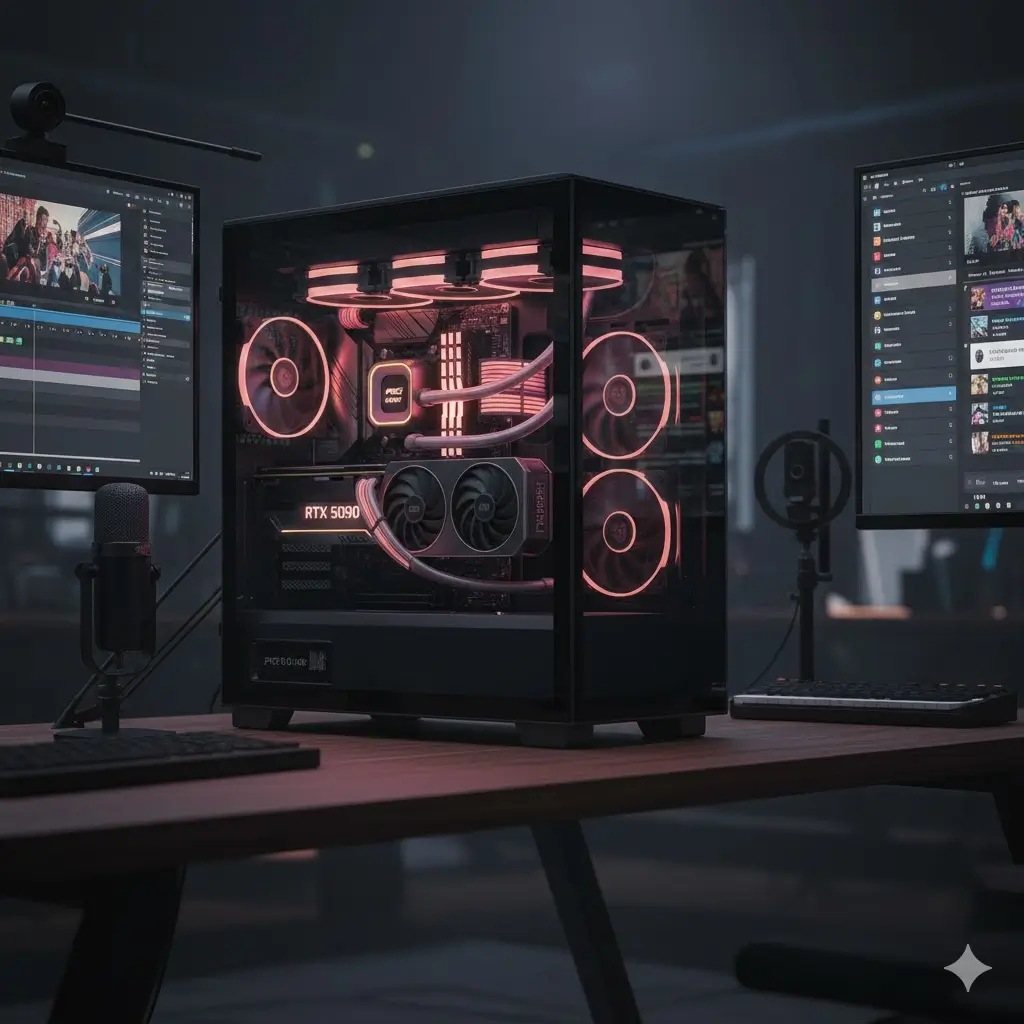

Startup Makes Ultra Compact Portable Gaming Desktop PC Gamereactor 3378313b . Top 10 Best Desktop Computers 2026 For Home Office And Work Lenovo Legion Tower 7i 2026 High Performance Desktop Computer With RGB Lighting Featured In. 8 Best Gaming PCs For 2026 Ultimate Buyer S Guide The Creators Dream Msi X 2026.webp. Asus TUF Gaming Desktops 2026 AMD Radeon 9060 XT RTX 50 GPUs Asus Tuf Gaming T500 Ces 2026 Kv .webp. The Best Gaming Desktops 2026 Top 10 Gaming Desktops Buy Now Guide




Best Gaming Desktops For 2026 Technobezz Technobezz 2026 03 11 T142543 296 09ffd22ab9 . The Ultimate Gaming PC Build 2026 Guide By Xidax 1 Unnamed . Top 5 Best Gaming Desktops Of 2026 Best Product Review Best Gaming Desktops . Check Out The Latest ROG Gaming Gear Revealed At CES 2026 . Gaming Laptop Or Desktop PC Which Gaming Powerhouse To Buy In 2026 Laptop Vs Desktop 84602.webp




The Best Gaming PC 2026 UK Builds At The Cheapest Prices GamesRadar . Best Gaming PC Builds For 2026 Best Gaming PC Builds For 2026.webp. Everything You Need To Know About Desktop PCs 2025 Edition Best Gaming Desktop PC 2025 Main . Best Gaming Computers In 2026 9meters Hpaq Kbcyhk 1536x1059 . What The Future Of Handhelds And Mini Gaming PC S Will Be CES 2026

ASUS Unveils 2026 AI PCs Gaming Desktops In PH Thumb. 7 Best Gaming Desktops Under 1000 In 2026 Affordable High Performance Gaming Desktops . The Most Powerful Gaming Desktop For 2026 Most Powerful Gaming Desktop 1673415213 1920 60 . The Gaming PC You Need To Build For 2026. Gaming Desktops Guides Tips And Tricks In 2026 Of Zen And Computing Featured Image Sjjbggt1


Gaming PC Budget Guide 7 Smart Rules For 2026 HP Pavilion Gaming Desktop TG01 768x768 . Gaming Desktop PC Guide 2026 Build The Ultimate Gaming Setup 2 2 3 . 8 Best Gaming PCs For 2026 Ultimate Buyer S Guide Best Gaming Pcs 2026.webp. Best Handheld Gaming PC In 2026 My For The Best 450 80 . Best PC Builds For Gaming 2026 Ultimate Guide To Building Your Dream Best PC Builds For Gaming 2026 150x100



Dell Alienware Unveils New Range Of Gaming Desktops At CES 2025 Alienware Family Photo 1456x1165 . 12 Best Desktop In 2026 Tested Reviewed Slide10 1024x576 . Gaming PC Vs Console 2026 Which Should You Choose Gaming Pc Vs Console 2026 . 5 Best Gaming PCs 2026 Gaming Net Ella Don 0oqMvhc1ntw Unsplash Scaled . The Best Gaming PC 2026 UK Builds At The Cheapest Prices GamesRadar